METATRADER 5 ON PINEX

Win a $200.000
PineX Account

To celebrate MT5, enter for a chance to win a $200K account.

✓

You're Entered!

We'll send you an email you if you have been chosen as our winner. Good luck!

Oops! Something went wrong while submitting.
New Program
Instant Funding
BLACK MONTH
55%  off ALL challenges
55 % off ALL challenges
Claim Offer
TradeLocker

TradeLocker Prop Firm:
Trade With PineX Capital

PineX Capital is a TradeLocker prop firm offering simulated programs for different trading goals. Choose Instant Funding, 1-Step, 2-Step, or Pay Later and select TradeLocker as your trading platform.

Analyze the markets with integrated TradingView charts, manage your positions in TradeLocker, and trade under the rules of your chosen PineX program.

TradeLocker available for:
  • Instant Funding
  • 1-Step
  • 2-Step
  • Pay Later
Tradable:
  • Forex
  • Indices
  • Commodities
  • Metals
  • Stocks
  • Crypto
Available alongside
— identical program rules
TradeLocker is available across PineX programs
Trade forex, indices, commodities, metals, stocks, and crypto
Integrated TradingView charts with browser, desktop, and mobile access
Built to scale

Choose Your PineX
TradeLocker Program

Explore the full range of PineX trading programs supported on TradeLocker. TradeLocker serves as your execution platform, while each PineX program has its own rules, targets, drawdowns, and reward structures. Choose your preferred evaluation or instant funding path below.

Instant Funding

on TradeLocker

Access simulated trading capital on TradeLocker without passing an evaluation. Choose between PineX Instant Funding and Elite Instant Funding, each with its own risk limits and reward requirements — rewards become available once you meet the program’s reward conditions.

Explore Instant Funding

1-Step

on TradeLocker

Complete a single evaluation stage on TradeLocker with the PineX 1-Step Challenge. Reach the 9% simulated profit target while respecting the static drawdown limits and other program rules to qualify for a simulated PineX Trader Account. This program has no consistency rule.

Explore the 1-Step Challenge

2-Step

on TradeLocker

Trade a two-phase evaluation on TradeLocker with the PineX 2-Step Challenge. Work toward an 8% simulated profit target in Phase 1 and 5% in Phase 2 while staying within the program’s risk limits. There is no consistency rule.

Explore the 2-Step Challenge

Pay Later

on TradeLocker

Begin the PineX Pay Later evaluation on TradeLocker and work toward the 4% simulated profit target with no daily drawdown limit. After passing the evaluation, complete the required activation process to unlock your simulated Trader Account.

Explore the Pay Later Challenge
Start your journey with PineX

Why Trade With PineX
on TradeLocker?

Trade with PineX on TradeLocker and access integrated TradingView charts across evaluation and Instant Funding programs. TradeLocker brings chart analysis, order placement, and position management together in one interface, helping you track your trading activity.

TradeLocker Across PineX Programs

Choose the program that matches your requirements and select TradeLocker as your preferred platform.

Trade All Supported Instruments

Trade PineX-supported forex, indices, commodities, metals, stocks, and cryptocurrencies in a simulated environment.

Choose Your PineX Program

Select Instant Funding for immediate access to simulated capital or an evaluation challenge to prove your strategy.

TradeLocker Alongside MT5

Prefer TradeLocker’s integrated TradingView charts or the MT5 interface? Choose from the platforms available for your program and location.
Secure payment
Instant account setup
Platform ready to go

What Instruments Can You Trade on TradeLocker With PineX?

Explore PineX-supported forex pairs, stocks, indices, metals, commodities, and cryptocurrencies through TradeLocker. Use the platform’s instrument list to check available symbols and contract specifications before placing a trade. All trading takes place in a simulated environment; you do not purchase or own the underlying assets.
Forex
Crypto
Commodities
Metals
Indices
Stocks
Secure payment
Instant account setup
Platform ready to use
Simulated Prop Trading

TradeLocker Platform Features for PineX Traders

As a TradeLocker prop firm, PineX combines its trading programs with charting and order-management tools for manual traders.

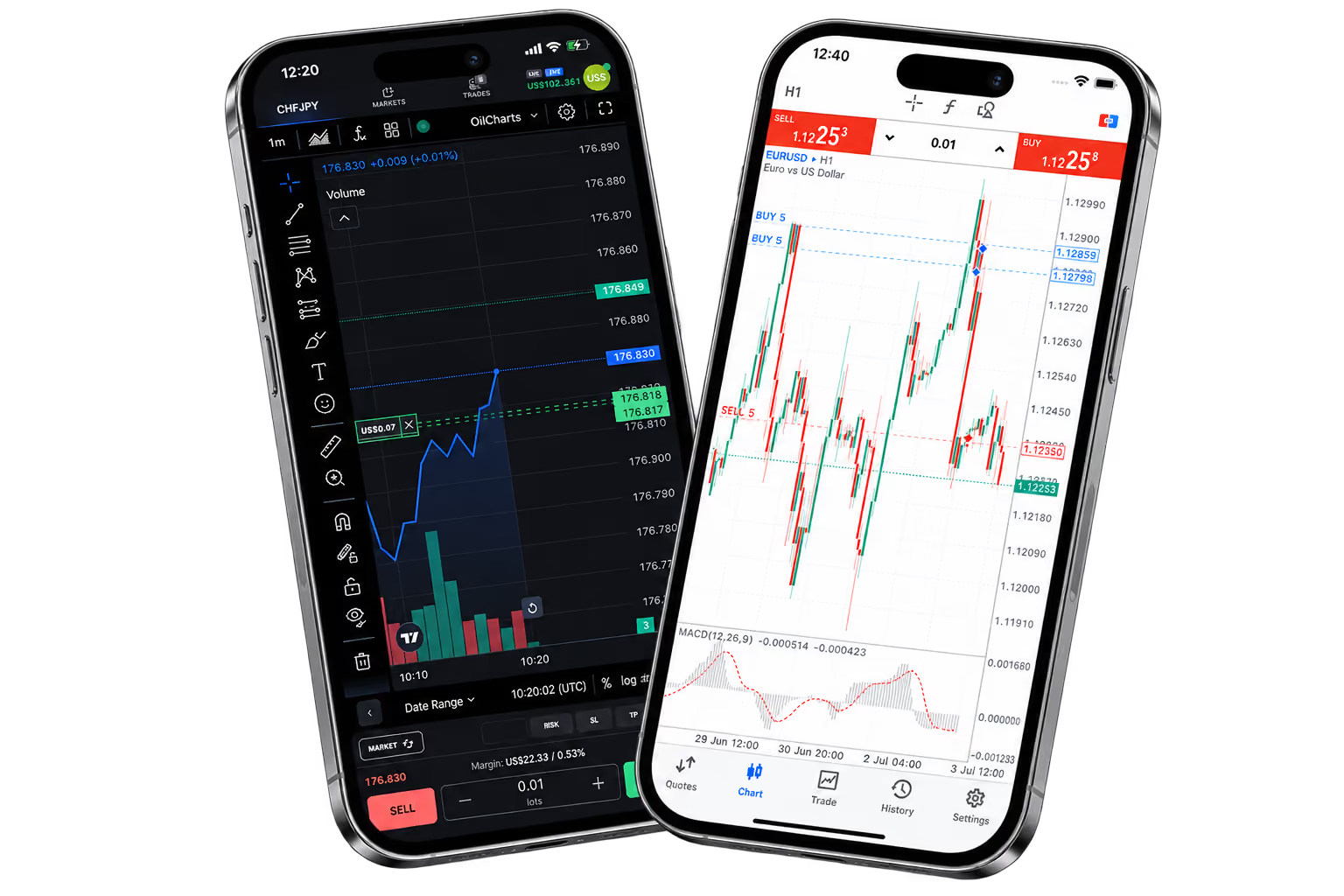
TradingView charting is built into TradeLocker, so you can analyze markets and manage trades in the same interface without connecting your PineX account directly to TradingView.

TradingView charts

Familiar charts, ready to use from the first trade.

Advanced performance analytics

See what works and make targeted improvements.
$24,658.85
Feb 24
$12,843.31
5.75%
Integrated TradingView charts & drawing tools
Market & pending orders with SL/TP
Browser, desktop, and mobile access
Funding process

How to Start Trading
on TradeLocker

Follow these simple steps to set up your PineX TradeLocker account and begin trading:
1

Pick Your PineX Program

Instant Funding, 1-Step, 2-Step, or Pay Later
Choose from PineX programs based on your trading style and goals.
2

Choose Your Account Size

Optional add-ons available
Pick your simulated account size and select any available add-ons for your chosen program.
3

Select TradeLocker

Platform choice at checkout
Choose TradeLocker as your preferred trading platform at checkout.
TradeLocker
charts powered by
TradingView
4

Receive Your Account Details

Login credentials by email
Receive your login credentials via email once your order is processed.
5

Start Trading on TradeLocker

Browser, desktop & mobile
Open TradeLocker in your browser or app and log in with your PineX credentials. Start your evaluation or Instant Funding account and request rewards once eligible.

PineX TradeLocker
Trading Rules

Your TradeLocker prop firm account follows the rules of your selected PineX program. TradeLocker provides the trading interface; PineX sets the evaluation requirements, risk limits, and reward conditions.

What Your Program Defines

Simulated profit targets
Daily drawdown limits
Total drawdown limits
Minimum trading days
Reward structures

What TradeLocker Does Not Change

Your Program Rules
Your Reward Structure
No Trading Bots
No Automated Trading Systems
No Automated Trade Management
Review the full program guidelines and general trading rules in our Help Center before placing your first trade.
Your choice

TradeLocker or MT5

PineX offers TradeLocker and MetaTrader 5 as platform options. Choose TradeLocker for integrated TradingView charts or select MT5 if you prefer its interface.

Your selected PineX program determines the simulated profit targets, drawdown limits, and reward conditions. Platform availability and geographic restrictions can differ, so confirm your eligibility before selecting an account.
Identical program rules on both platforms.
Availability can differ by program and location.
Choose your platform at checkout.
TradeLocker
x

FAQ

Is PineX a TradeLocker prop firm?

Yes. PineX is a TradeLocker prop firm. Select TradeLocker as your platform when you buy an eligible Instant Funding, 1-Step, 2-Step, or Pay Later account.

Which PineX programs are available on TradeLocker?

TradeLocker is available across all primary PineX programs. You can choose TradeLocker for the Instant Funding, 1-Step Challenge, 2-Step Challenge, and Pay Later Challenge.

Does PineX offer Instant Funding on TradeLocker?

Yes. PineX Instant Funding and Elite Instant Funding support TradeLocker. Both provide access to simulated trading capital without an evaluation, with rewards subject to the risk limits and reward conditions of the selected program.

What can I trade on TradeLocker with PineX?

You can trade PineX-supported forex, indices, metals, commodities, stocks, and cryptocurrencies in a simulated environment. Check the instrument list in your TradeLocker account for the specific symbols and contract specifications available.

Does using TradeLocker change my PineX trading rules?

No. Selecting TradeLocker does not alter your trading parameters. Your specific PineX program defines all simulated profit targets, drawdown limits, and reward schedules.

Can I use trading bots on PineX TradeLocker accounts?

No. PineX does not permit automated trading bots or systems that automatically open, close, or manage trades. Trade manually and follow PineX’s general rules, regardless of any automation features offered by the platform itself.

Is PineX also available on MT5?

Yes. PineX also offers MetaTrader 5 as a platform option. Choose from the platforms available for your program and location when purchasing your account. MT5 has separate geographic restrictions, including restrictions for US citizens and residents.

Is TradeLocker available in every country?

Access depends on PineX’s geographic eligibility requirements and applicable restrictions. Check the current PineX terms or contact support before purchasing. Eligibility rules for TradeLocker and MT5 may differ.

Start Trading on TradeLocker Today

Choose your preferred PineX program (Instant Funding, 1-Step Challenge, 2-Step Challenge, or Pay Later Challenge) and select TradeLocker as your trading platform at checkout.
Secure payment
Instant account setup
Platform ready to go